
 Tiếng Việt


If you’re a dentist or lab technician who has ever broken a sweat because a patient was dissatisfied with the mismatched shade of their restoration, you’re not alone. In fact, selecting the wrong tooth color is one of the most common reasons for remakes – costing time, money, and often causing tension between the clinic and the lab.
So, is there a solution? The answer is yes – eLAB.
Why is traditional shade matching outdated?
Let’s take a look at three major issues when using shade guides for color selection:
- Limited shade range
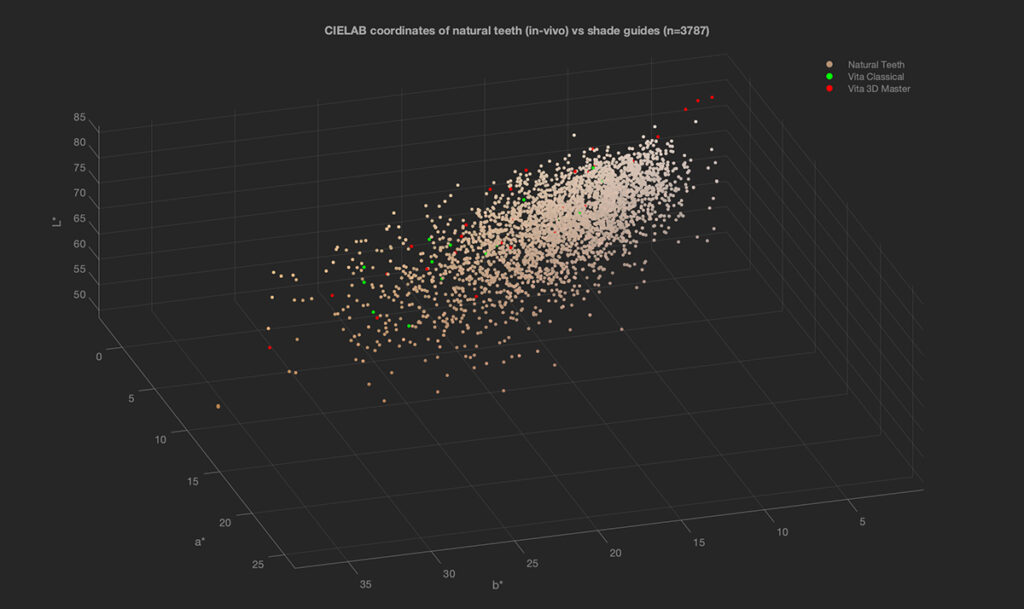
Even if you use the classic Vita system, you’re only working with a few dozen basic shades – far too few to match the diversity of natural teeth. Worse, these shades are unevenly distributed, creating “black holes” between color intervals.
- Inconsistent color perception
Experience, lighting, and individual perception – each dentist may see a shade differently. One A3 tab, many interpretations. Sometimes even you may see it one way today and another tomorrow.
- No industry standard
There’s no international standard defining what A3 truly is. Each ceramic manufacturer can produce their own version of “A3” – a fact demonstrated by photographs under D50 lighting showing how different each interpretation can be.
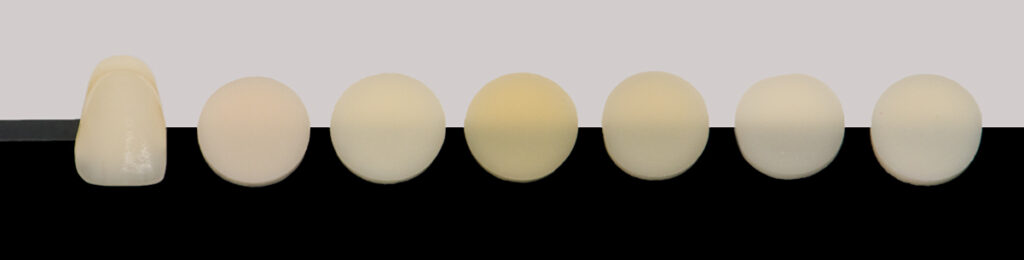
The CIELAB graph bellow shows the comparison between a large population of natural tooth colors (n=3787) with standard shading system showing that the range of available colours in the shade guides is inadequate and the colour samples are not logically distributed. This results in a considerable coverage error making it virtually impossible to pick the right shade most of the times because it simply isn’t there.
So, what is eLAB?
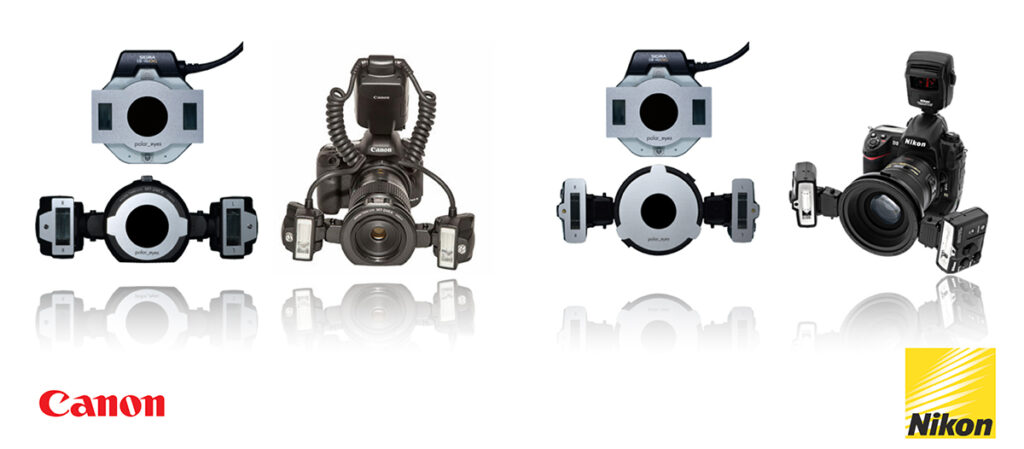
eLAB is a digital tooth shade matching system that utilizes photography equipment you likely already have: a DSLR or mirrorless camera (Canon, Nikon), a macro lens, and a ring or lateral flash.
A few additional key tools:
- polar_eyes filter – a polarizing filter for your flash
- white_balance gray card – for accurate color calibration
With these tools, your camera becomes a precise dental color measuring system, allowing you to take RAW photos of real teeth in standardized conditions – then send them to the lab for analysis and personalized shade recipes.
What does a lab need to use eLAB?
In addition to the equipment listed above, the lab will need:
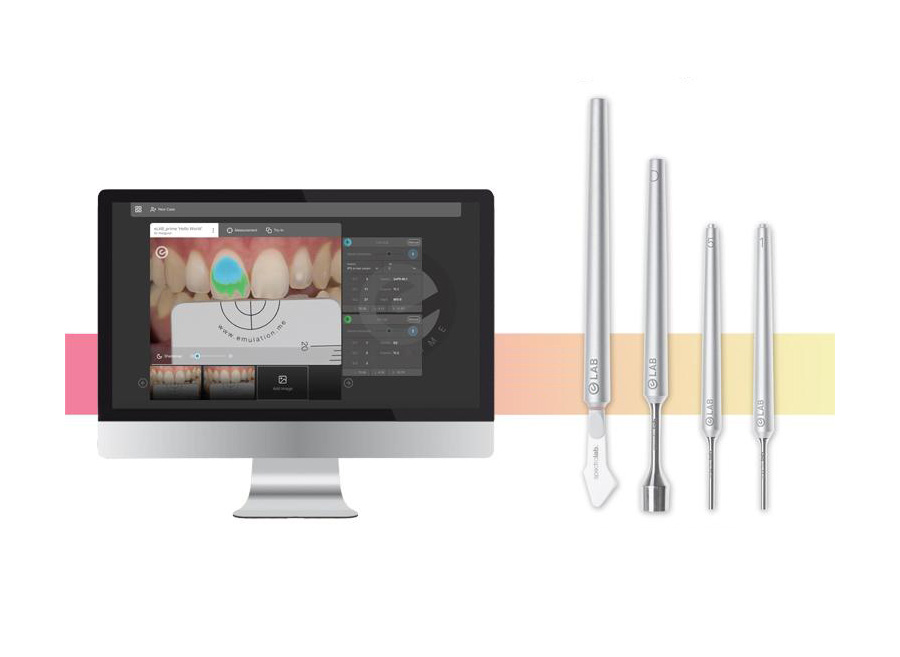
- The eLAB_prime software (licensed annually) to:
- Import and process RAW files from the clinic
- Create patient records
- Generate personalized shade mixing formulas
Which materials are supported by eLAB?
Nearly all popular ceramic systems today are supported:
All-ceramic systems:
- IPS e.max Ceram
- GC LiSi
- Noritake CZR
- Vita VM9
- Dentsply Sirona Celtra Ceram
- Willi Geller Creation Zi-CT
- Cendres Métaux Livento/Soprano
Metal-ceramic systems:
- Willi Geller Creation CC
- IPS Style Ceram
ZrO₂ framework materials:
- ZirkonZahn
- Dentsply Sirona Cercon
- Vita ZrO₂
- Noritake Katana
- IPS e.max ZirCAD
- Kulzer dima Mill Zirconia
- Aman Girrbach Zolid
Summary: Why choose eLAB?
- Accurate and reproducible: No more guessing when choosing shades
- Reduce remakes: Save time, effort, and cost
- Improve collaboration between dentist and lab: Clear, standardized communication
- Higher patient satisfaction: Restorations that meet aesthetic expectations
